


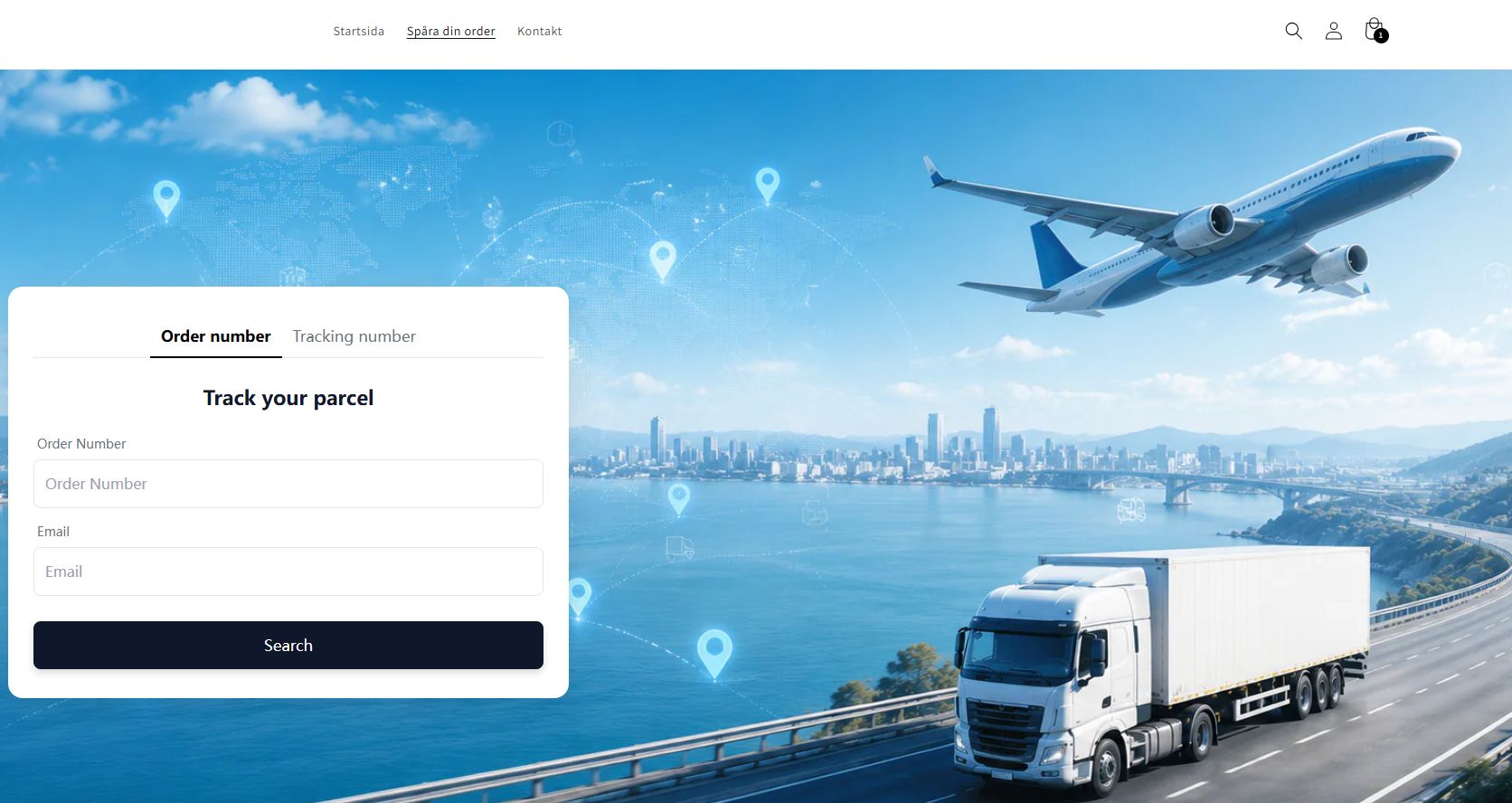
Looking for a free Shopify order tracking solution without monthly limits? Learn why merchants are switching from Track123 and 17TRACK to unlimited order tracking.
If you're running a Shopify store, sooner or later you'll realize that customers constantly ask the same question:
"Where is my order?"
As your order volume grows, customer support tickets increase rapidly. That's why almost every successful Shopify store eventually adds an Order Tracking Page.
Popular solutions like Track123 and 17TRACK are among the most widely used apps because they provide branded tracking pages, automated carrier detection, and customer notifications. However, their free plans are intentionally limited, and merchants typically need to upgrade as order volume grows.
The good news?
There is another way.
If you only need a professional tracking page without paying monthly fees based on order volume, you can now build one completely free with unlimited tracking queries.
In this guide, we'll explain why merchants switch away from traditional tracking apps and how you can do the same.
Why Every Shopify Store Needs an Order Tracking Page
An order tracking page isn't just a convenience.
It directly impacts your customer experience.
Benefits include:
- Reduce "Where Is My Order?" (WISMO) support tickets
- Increase customer trust
- Improve post-purchase experience
- Build your own branded tracking page
- Encourage repeat purchases
- Reduce PayPal and Stripe disputes
- Give customers real-time shipment visibility
Without a tracking page, customers usually email your support team whenever they become anxious about delivery.
With a self-service tracking page, customers check the status themselves.
Less work for you.
More confidence for your buyers.
The Most Popular Shopify Tracking Apps
When searching the Shopify App Store, you'll usually find these options:
- Track123
- 17TRACK
- AfterShip
- TrackingMore
- Tracktor
Each app supports hundreds or thousands of shipping carriers and automatically detects tracking numbers. Many also provide branded tracking pages and shipping notifications.
They're excellent products.
But they all share one common limitation.
The Hidden Cost of Growing Stores
Most tracking apps advertise a Free Plan.
However, once your store begins receiving consistent daily orders, you'll quickly hit the monthly quota.
For example, many popular tracking apps only include around 50 tracked orders per month on their free plans before requiring an upgrade.
That means:
- 100 orders/month → Paid plan
- 500 orders/month → Higher plan
- 2,000+ orders/month → Premium pricing
For dropshipping stores with thin margins, tracking software can become another recurring monthly expense.
What Most Shopify Sellers Actually Need
Most merchants don't need dozens of advanced marketing features.
Instead, they simply want:
✅ A professional tracking page
✅ Automatic tracking updates
✅ Multiple carrier support
✅ Fast loading speed
✅ Mobile-friendly interface
✅ Unlimited customer queries
That's it.
If your goal is simply to let customers check their package status anytime, there's no reason to pay more as your business grows.
A Free Alternative With No Order Limits
Instead of paying based on the number of tracked orders, you can now use a completely free tracking solution that offers:
- Unlimited order tracking
- Unlimited tracking page visits
- No monthly query limits
- Branded tracking page
- Fast tracking results
- Easy Shopify integration
- No complicated setup
For many Shopify merchants, this is more than enough.
Especially if you're just looking for a reliable order tracking page without expensive subscription plans.
How to Set It Up
- Open your store management and navigate to Online Store > Pages.and click Add page
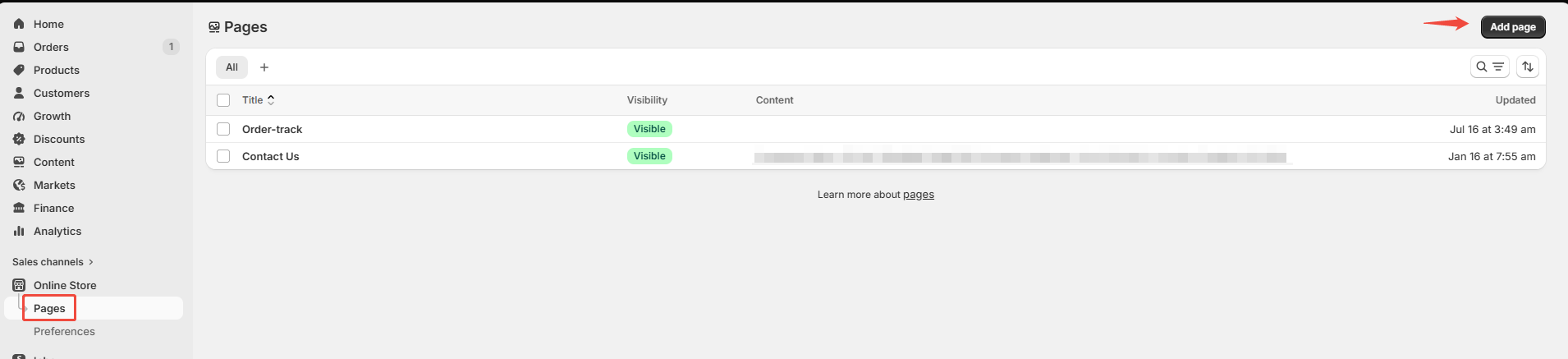
2. Add an "order-track" page, then switch to code mode, paste the code below, and save.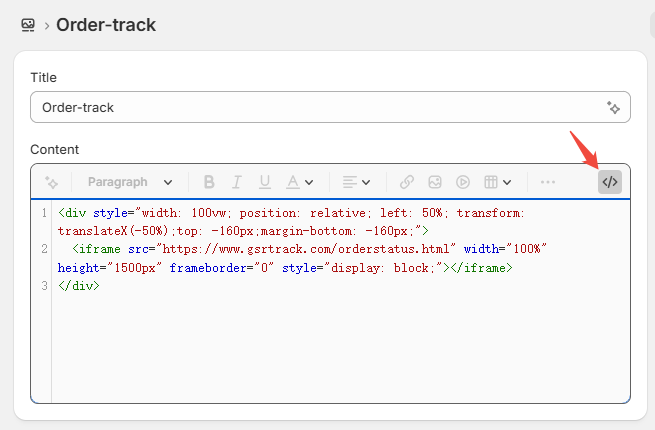
<div style="width: 100vw; position: relative; left: 50%; transform: translateX(-50%);top: -160px;margin-bottom: -160px;">
  <iframe src="https://www.gsrtrack.com/orderstatus.html" width="100%" height="1500px" frameborder="0" style="display: block;"></iframe>
</div>
3. Go to Content > Menus. Click Main Menu.
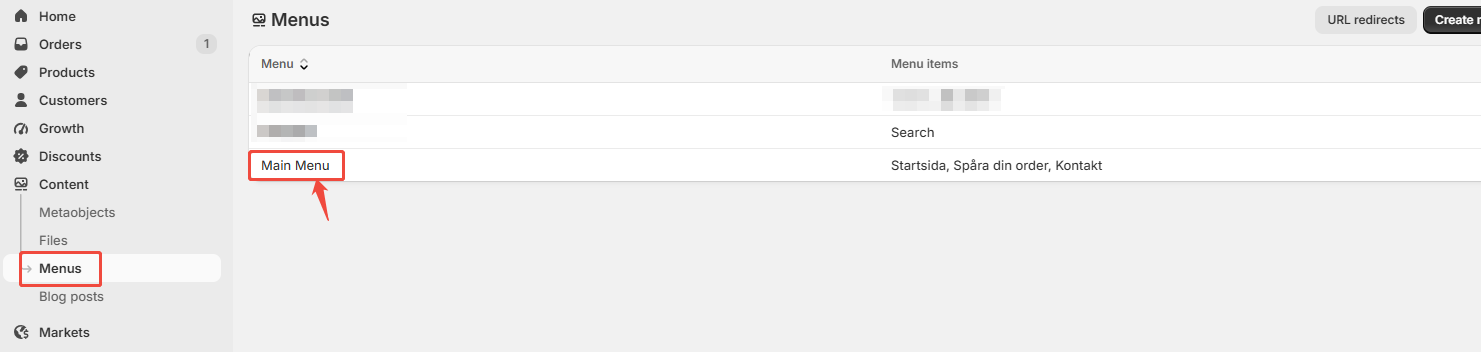
4. Label: Enter the name of the menu item you want to add; Link: Enter order-track.
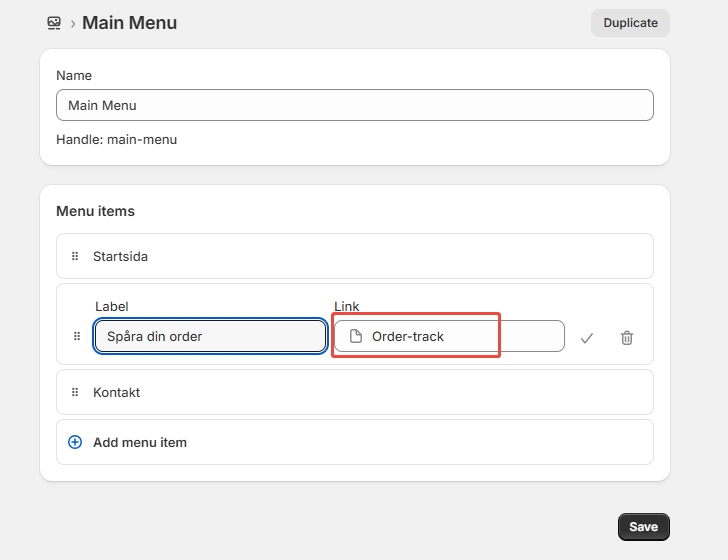
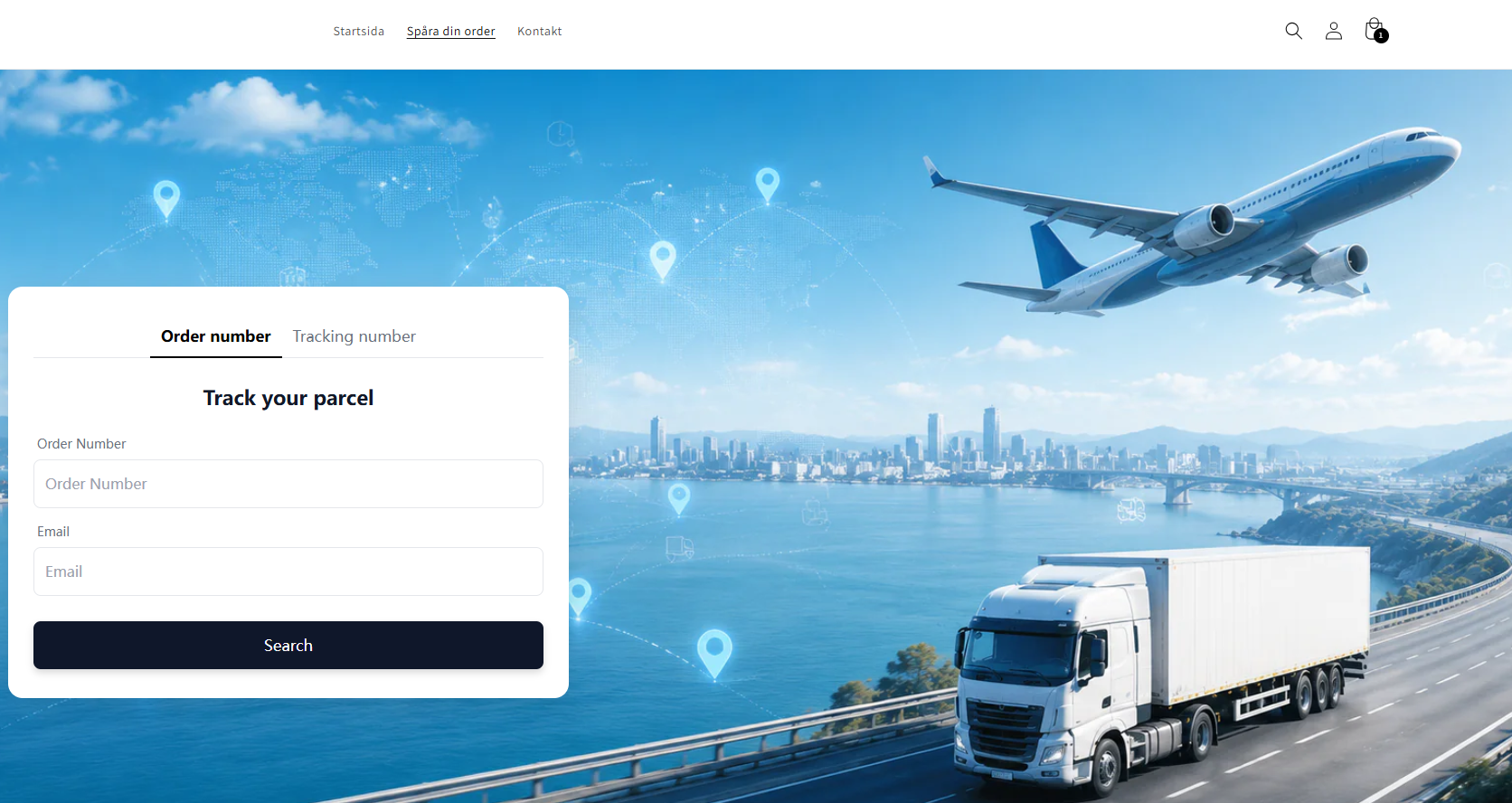
5. Click Save, and your store will have a new page for free order tracking.
Frequently Asked Questions
Is it really free?
Yes.
There are no monthly tracking query limits.
Can customers track their orders themselves?
Absolutely.
Customers simply enter their order number or tracking number on your tracking page.
Does it support international shipping?
Yes.
The system works with major global logistics carriers, making it suitable for international Shopify stores.
Will it reduce customer support tickets?
Definitely.
Many "Where Is My Order?" emails disappear once customers can quickly check shipment status themselves.
Is it suitable for dropshipping?
Yes.
Whether you ship from China, the US, Europe, or local fulfillment centers, customers can track their orders through one branded page.
Final Thoughts
As your Shopify business grows, order tracking becomes an essential part of the customer experience.
While apps like Track123 and 17TRACK are excellent choices, their free plans are designed for smaller stores, and costs often increase alongside your order volume.
If you're looking for a simpler solution with no tracking limits, a free unlimited tracking page